
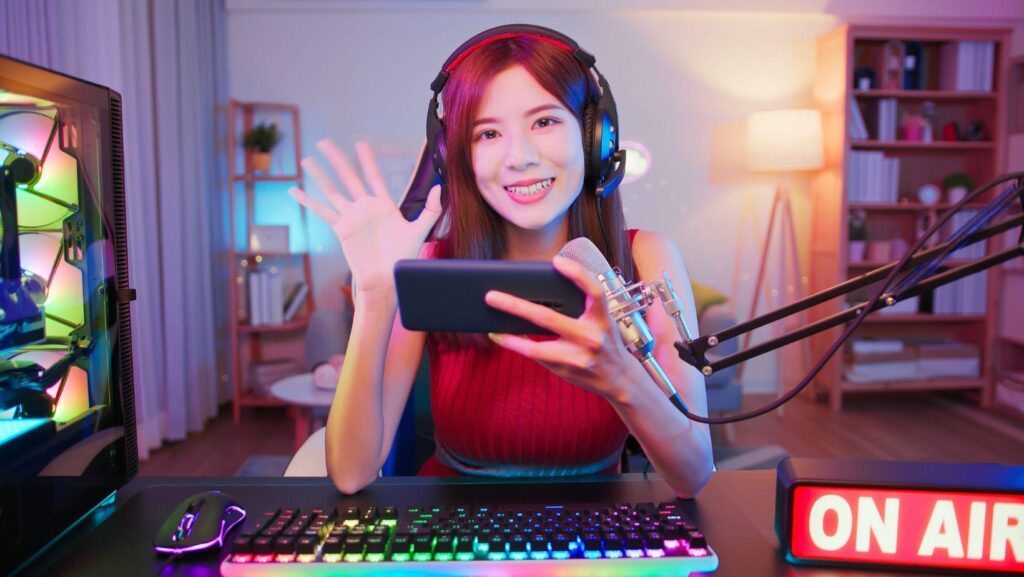
The race has started, the microphone is on, and the only message in chat is the one your bot posted. You’ve already said hello. You could say it again, but you’re coming up on the corner that ruined your last three laps.
That corner gives you something to talk about. Say what you’re going to try before you get there, then let people see how it goes. You can rehearse that in a few minutes before the stream. It’s easier to get comfortable talking while you play when you have a reason to speak.
Give the opening a job
Pick a goal that makes sense to someone who has just tuned in. “I’m trying to get around this track without clipping the wall at the second corner” sets up the next few minutes. If you miss the corner again, you’ve got something specific to try on the next lap. The stream can keep moving while chat gets settled.
Pick a section you can play twice in practice. A track you’ve already raced gives you a rough idea of when you’ll have time to talk. If the action starts as soon as the loading screen clears, say the opening during the loading screen. If you get a few seconds to look around before anything happens, you can introduce the run while the viewer takes in the course.
Think about the person who arrives after the opening. A few minutes later, give them a quick update. “We’re on the third lap. I’ve stayed off the wall twice, and now I’m going to see if I can get through that corner a little faster.” That tells them where they are. It also gives you something to say if you glance at chat and still see the same bot message.
Rehearse a question and a quiet stretch
If you already use an adult AI companion such as Joi AI, a short text rehearsal can give you a first-time viewer’s question to answer. Describe the game and your goal in a couple of lines. Ask for a question from someone who missed the opening, then answer it aloud.
I’m practicing the first minute of a racing-game stream. My goal is one clean lap. Ask me one question as a viewer who just arrived. Then give me a moment in the game to comment on while the chat is quiet.
A question like “Why are you taking that corner so slowly?” is useful because you can answer while you play. “I keep running wide there, so I’m breaking a little earlier this time.” Then take the corner. If your explanation turns into a lecture about suspension, you’ll probably run out of time to make the turn. Try it again in one sentence.
Once you’ve practiced that, put the chat aside and play a minute on your own. Let an event on screen tell you when to speak. Say what you’re about to try as you approach the corner, wait through the turn, and say what you’d change on the next lap. You’ll have something to say even if nobody types a question.
Make a local recording before you go live
The OBS Studio quick-start guide recommends checking the audio meters and running a short test before your first broadcast. Record a few minutes locally with the game and microphone on. Try the opening, play through one section at your usual pace, and keep recording long enough to hear what happens during the quiet moments.
Watch the playback with the headphones or speakers you normally use. Can you make out the first sentence once the engine kicks in? Does your voice get quieter when you turn back toward the screen? If the game covers part of your explanation, lower its level a little and record the same section again. You only need to replay enough to hear the difference.
GamingVoyage’s piece on how sound design shapes the way we experience games looks at how much information a sound can carry while a player’s eyes are somewhere else. Give viewers a chance to hear those cues, too. If you’ve just said you’re listening to the engine as you come out of the turn, leave a moment for the sound. You can say how it went on the straight.
Give yourself a way back in when you lose your place
You’ll sometimes go quiet because a section needs all your attention. When it’s over, pick up with what just happened. “I got through the corner and then clipped the wall on the way out.” That gives the next lap a purpose. You can tell people how you’ll try to leave yourself a little more room.
If a real question comes in during a difficult stretch, finish the bit you’re playing and come back to it. You can say “I’ll answer that after this lap” if you’ve got a second. The viewer knows you saw them, and you can finish the turn.
After your first stream, watch one stretch where you remember chat being quiet. See whether someone dropping in could tell what you were trying to do. If you only explained the goal right at the start, try one short update between laps next time. If you could hear the engine and follow the run the whole way through, the quiet might have sounded perfectly natural.
Before you go live, put a small note near the screen. Write the goal and one question you can answer whenever you lose your place. “What will I change next lap?” is enough. When you reach the second corner, tell whoever’s there what you’re about to try. Then see if you can make the turn.