Retro gaming is a magical experience. Retro consoles such as the NES and SNES, PlayStation 1, Sega Genesis and Nintendo 64 still provide the same thrills they did in years past. What’s the only problem? These consoles are designed for CRT TVs and not the slim, modern screens of today.
When you plug a retro console in a modern monitor you may end up with blurry videos, stretched pictures, or even no signal.
You can easily play retro consoles with a modern monitor. All you need are the right adapters, and a few simple steps. You can improve your gaming experience by choosing a high-quality gaming monitor that is close to a 18.5-inch monitor. It will be cleaner, more vibrant and sharper.
We’ll walk you through the steps so you can enjoy retro music wherever you like.
Why Retro Gamers Love Portable Monitors
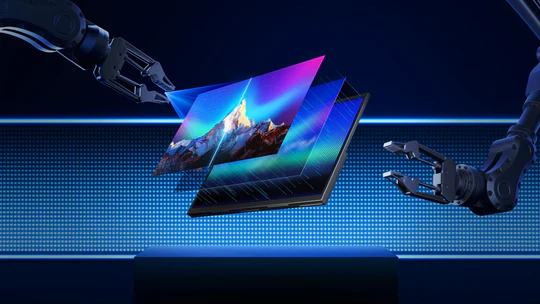
Portable monitors are extremely popular, as they allow for flexible and convenient gaming. They can be set up anywhere – your desk, bed, car, hotel room or retro meetup.
Why they work so well
- Easy to carry and lightweight
- Sharp picture quality
- Quick HDMI plug-and-play
- The ideal solution for small spaces
- Great as dedicated retro gaming screens
A gaming monitor provides low input lag, smooth gameplay and is ideal for retro games with fast action.
Step 1. Check your console’s video output
Before you do anything, determine what cable type your retro console is using. Each system has a unique connection.
Common retro console outputs:
- RCA Composite (yellow/red/white) – PS1, PS2, SNES, N64, Sega Genesis
- Component (red/blue/green) – PS2, Wii, Original Xbox
- S-Video – Some SNES/N64
- VGA – Sega Dreamcast
- SCART Many PAL region consoles
- RF – Very old consoles such as Atari and NES
You’ll need one since modern portable monitors are USB-C
Step 2: Select the Right HDMI Converter
It’s not possible to plug in old cables into modern screens. This gap can be bridged by a converter or an upscaler.
Composite-to-HDMI Converter
Great for PlayStation 1, PlayStation 2, N64, SNES, Sega Genesis, GameCube.
SCART-to-HDMI Converter
Ideal for PAL consoles that produce better colors.
Component HDMI Converter
The best choice for PS2, Wii and Original Xbox.
VGA Converter
Sega Dreamcast and modded consoles require this.
Premium Upscalers (Best Quality)
- RetroTINK
- OSSC
Retro games on portable screens look amazing.
Step 3: Connect your console to the portable monitor
It is simple to install the converter once you have chosen the correct converter:
- Connect your console’s cable to the converter
- Connect the converter using HDMI to the portable Monitor
- Power both devices
- Select HDMI input
- Start playing
The size of the 18.5-inch monitor is just right. It’s large enough to be comfortable, but small enough to remain portable.
Step 4. Adjust display settings for a better picture
Customize your monitor settings after you have connected everything.
- Change aspect ratio to 4×3 To prevent the game from stretching out unnaturally. Retro games are not meant to be large.
- Enable Game Mode Reducing input lag and making controls feel more tight.
- Set sharpness on medium
Too sharp outlines can be created. - Change the brightness and color according to your taste
These options are usually built into a good gaming monitor, giving you more control over the look of your games.
Step 5 – Improve your sound setup
Some HDMI converters output audio separately. You can use:
- Earphones
- Bluetooth Speakers
- Small desktop speakers
Retro gaming is made more immersive with this simple upgrade.
Why an 18.5-inch monitor is perfect for retro games
Plenty of gamers prefer an 18.5 inch monitor because:
- It gives a comfortable viewing size
- It fits easily in a backpack
- Games look clean without being overly stretched
- It mimics the feel of old CRT screens—just sharper and lighter
- Great balance between portability and screen real estate
Pairing this size with a quality gaming portable monitor creates the perfect portable retro setup.
Benefits of Playing Retro Games on a Portable Monitor
Here’s why this setup is becoming the new favorite for retro fans
✔ Cleaner visuals than CRTs
The picture becomes sharper, brighter, and more colorful.
✔ Perfect for travel
Take your retro console anywhere.
✔ Ideal for content creators
If you make retro-themed TikToks, reels, or YouTube videos, a portable monitor makes recording easier.
✔ Less clutter and more convenience
No heavy TV, no space issues, just a simple plug-and-play setup.
Final Thoughts
Playing retro consoles on a modern portable screen is surprisingly easy, and the results are fantastic. With the right converter and a good portable monitor, your classic games will look cleaner and run smoother than ever.
If you pick a gaming portable monitor, especially around 18.5 inches, you get a perfect blend of size, portability, and picture clarity. It’s one of the best upgrades any retro gamer can make.